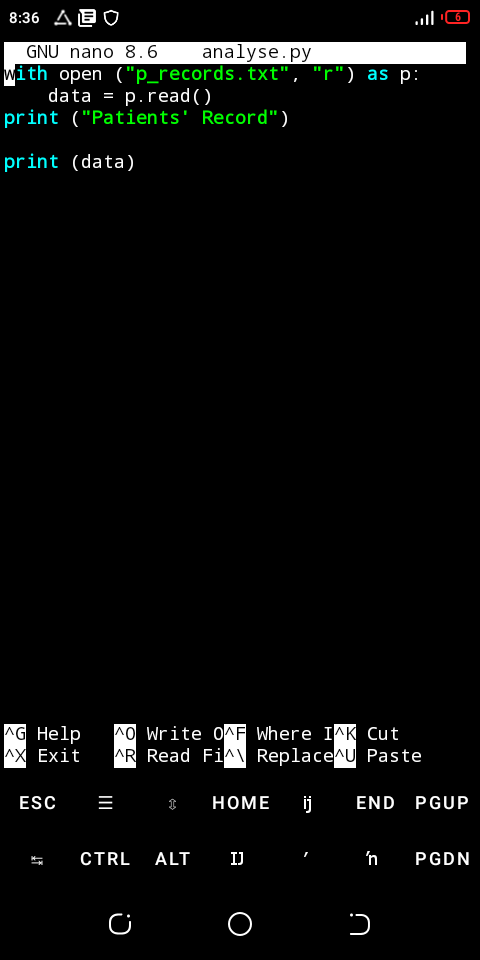

What is Nano?
Think of Nano as a notebook inside Termux — but a special kind of notebook.
It’s where you can write your Python code and save it as a file.
Let me explain it in a way that feels super easy.
Example Story:
Let’s say you open Termux and type your Python directly:
pythonThen inside Python you type:
print("Hello, Dimma!")That works! But when you close Termux, that code disappears — it’s not saved anywhere.
So, what if you want to save your code and come back to it later?
That’s where Nano comes in!
Nano helps you:
Create a file (like a notebook),
Type your code inside it,
Save it to your phone,
Run it anytime later.
How Nano Works (step by step):
In Termux Type:
nano my_first_code.pyWhat this means:
nano = open the Nano text editor
my_first_code.py = the name of your new file
(the “.py” part means it’s a Python file).
Now, Termux will open a blank page — that’s your coding notebook.
You can start typing your Python code inside it, like:
print("Hello, Dimma!")print("Welcome to Python")When you’re done typing, press:
CTRL + O → (to “write out” or save your work)
Then press Enter → (to confirm the file name)
Then press CTRL + X → (to exit Nano and go back to Termux)
Now, your file is saved!
To run it, type:
python my_first_code.pyAnd you’ll see:
Hello, Emelda!Welcome to PythonSo, simply put:
Tool & What it does:
Termux - Lets your phone behave like a computer.
Python - The language you’ll use to tell your computer what to do.
Nano - Simple text editor where you write and save your Python programs.
So you can think of Nano as:
“The paper where you write your code before you run it.”


